Zedity: Free Plug-In To Change Your Blog Appearance
<div id=”zed_fn3nuif7″ class=”zedity-wrapper zedity-premium”>
<div id=”zed_fn3nuif7″ class=”zedity-editor zedity-notheme” style=”position: relative; width: 600px; height: 600px; overflow: hidden;” data-origw=”600″ data-origh=”600″>
<div class=”zedity-box zedity-box-Text zedity-edited” data-boxtype=”Text” data-ol=”1″ style=”position: absolute; left: 0px; top: 0px; width: 600px; height: 600px; z-index: 12; box-shadow: #000000 0px 0px 30px 10px inset; display: table; table-layout: fixed; background-color: transparent;”>
<div class=”zedity-content” style=”width: 100%; height: 100%; color: black; line-height:…
<div id="zed_fn3nuif7" class="zedity-wrapper zedity-premium">
<div id="zed_fn3nuif7" class="zedity-editor zedity-notheme" style="position: relative; width: 600px; height: 600px; overflow: hidden;" data-origw="600" data-origh="600">
<div class="zedity-box zedity-box-Text zedity-edited" data-boxtype="Text" data-ol="1" style="position: absolute; left: 0px; top: 0px; width: 600px; height: 600px; z-index: 12; box-shadow: #000000 0px 0px 30px 10px inset; display: table; table-layout: fixed; background-color: transparent;">
<div class="zedity-content" style="width: 100%; height: 100%; color: black; line-height: 1.2; font-size: 14px; font-family: Arial,Helvetica,sans-serif; display: table-cell; overflow: hidden;">
<p class="lead text-center" style="box-sizing: border-box; line-height: 1; color: #ffffff; margin-top: 20px; margin-bottom: 20px; font-size: 14px; font-family: verdana !important; background-color: #5cb85c;"><span style="line-height: 1.2; color: #000000; font-family: Arial, Helvetica, sans-serif; font-size: 14px; background-color: transparent;"><span class="zedity-spacer"> </span></span></p>
<h1 class="lead text-center" style="box-sizing: border-box; line-height: 1.4; color: #ffffff; margin-top: 20px; margin-bottom: 20px; font-size: 24px; background-color: #5cb85c; font-family: verdana !important; font-weight: bold;"><span style="line-height: 1.2; color: #000000; font-family: Arial, Helvetica, sans-serif; font-size: 14px; background-color: transparent;">What Is Zedity?</span></h1>
<p class="lead text-center" style="box-sizing: border-box; line-height: 1.4; color: #ffffff; margin-top: 20px; margin-bottom: 20px; font-size: 14px; font-family: verdana !important; background-color: #5cb85c;"><span style="line-height: 1.2; color: #000000; font-family: Arial, Helvetica, sans-serif; font-size: 14px; background-color: transparent;">Zedity enables anyone to create amazing WordPress posts and pages super easily, completely visually and with no technical skill required. Create the webpages of your dream. </span></p>
<p><span style="line-height: 1.2; background-color: transparent;">I was offered an opportunity to try this Plug-In at a discounted price for my honest review and opinion.</span></p>
<p style="margin: 0px; color: black; font-size: 14px; font-family: Arial, Helvetica, sans-serif;"><span style="line-height: 1.2; background-color: transparent;">The Plug-in is designed to give bloggers a chance to have more flexibility with the layout and design of their website without the need to use or know coding, which is something I was extremely excited to try. I have been wanting to play around with the theme and structure of my website for a while now but I don&#8217;t have a lot of spare time to learn anything new.</span></p>
<p style="margin: 0px; color: black; font-size: 14px; font-family: Arial, Helvetica, sans-serif;"><span style="line-height: 1.2; background-color: transparent;"><span class="zedity-spacer"> </span></span></p>
<p style="margin: 0px; color: black; font-size: 14px; font-family: Arial, Helvetica, sans-serif;">This review is an example of the <b>Zedity</b> plugin in action, I used it to create this post. I think over time I will get better. Overall I give it an A+.</p>
<p style="margin: 0px; color: black; font-size: 14px; font-family: Arial, Helvetica, sans-serif;"><span class="zedity-spacer"> </span></p>
</div>
</div>
<div class="zedity-box zedity-box-Image" data-boxtype="Image" data-layout="fit" data-aspectratio="1" data-ol="1" style="position: absolute; left: 124px; top: 320px; width: 250px; height: 124px; z-index: 14; background-color: transparent;">
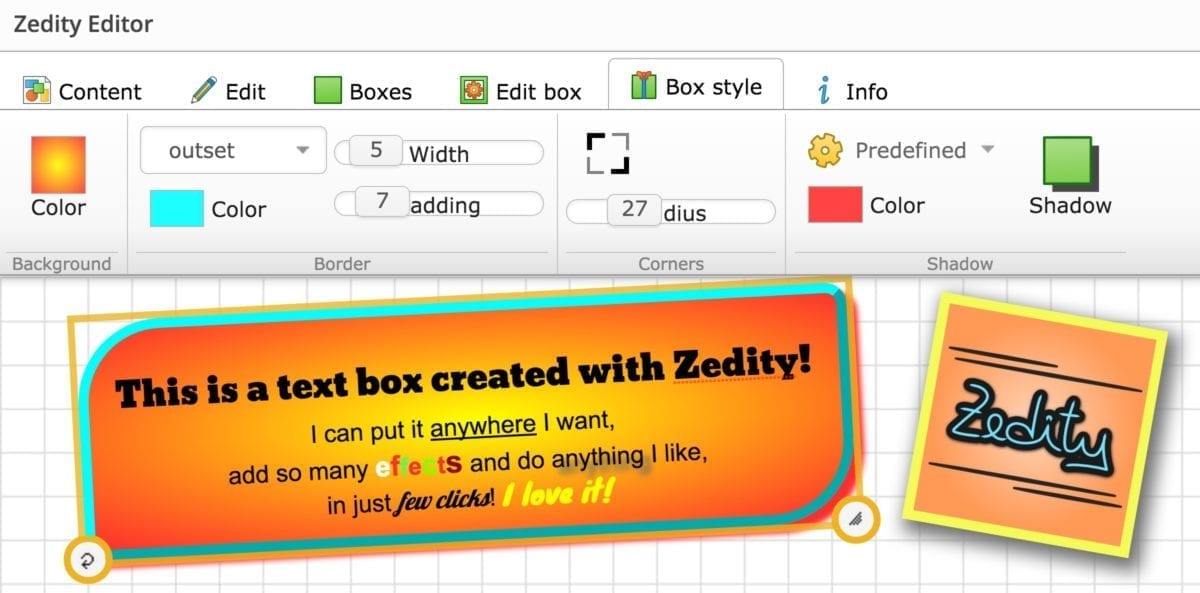
<div class="zedity-content" style="position: relative; width: 100%; height: 100%; overflow: hidden;"><img src="https://abreak4mommy.com/wp-content/uploads/2016/04/zedity_editor-1.jpg" style="position: absolute; margin: 0px; left: 0px; top: 0px; width: 250px; height: 124px;" alt="zedity" /></div>
</div>
<div class="zedity-watermark" style="position: absolute; background: rgba(70,70,70,0.75); z-index: 99999; padding: 0 6px 1px; border-radius: 6px; height: 20px; line-height: 20px; bottom: 0; right: 0;" data-pos="bottomright"><span style="color: #ffd6ba; font-size: 11px; font-family: Tahoma,Arial,sans-serif;">Powered by <a href="https://zedity.com" target="_blank" style="font-size: 11px; font-weight: bold; color: white; font-family: Verdana,Tahoma; text-decoration: none;">Zedity</a></span></div>
</div>
</div>
<p><a href="http://www.tomoson.com/?code=TOP6a91aab5a0891bec8c59eaf667598c99" rel="nofollow"><img style="display: none;" src="https://abreak4mommy.com/wp-content/uploads/2016/04/pixel-1.png" /></a></p>
<p><span><strong>Zedity</strong> is a revolutionary content builder to create your WordPress posts and pages as naturally as writing on paper! </span><br />
<span></span></p>
<p><span>With absolutely no coding skill required, Zedity enables anyone to create professional content super easily and quickly. With a modern and sleek user interface, support for touchscreen devices, responsive design and many features that can be used in just few clicks, Zedity Premium Plugin takes your WordPress experience to the next level.</span></p>
<p>You can download a premium version of Zedity for WordPress<strong><span style="color: #ff6600;"> <a href="https://zedity.com/plugin/wp" style="color: #ff6600;">here</a></span></strong></p>
<p><a href="http://www.tomoson.com/?code=BOTTOM6a91aab5a0891bec8c59eaf667598c99" rel="nofollow"><img style="display: none;" src="https://abreak4mommy.com/wp-content/uploads/2016/04/pixel-1.png" /></a></p>
<div class="tptn_counter" id="tptn_counter_1356" data-tptn-url="https://abreak4mommy.com/?top_ten_id=1356&#038;view_counter=1&#038;_wpnonce=9c56aaeb2b"></div>